Desktop app
Open a folder or a .md file as a site in its own window. An integrated terminal opens in the site's folder: run an AI agent, git or a script there, and the pages update as the files change.
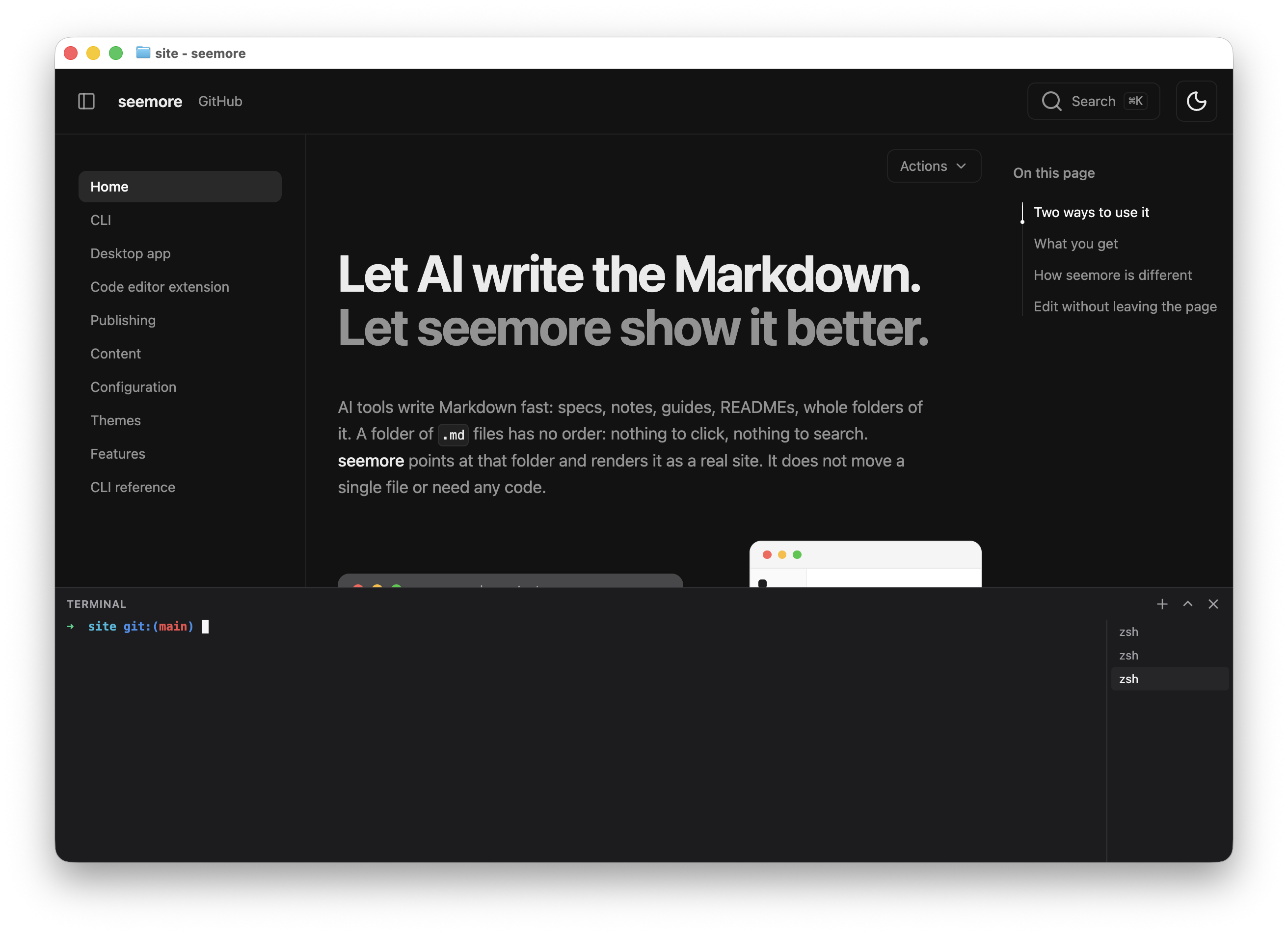
macOS
macOS 13 or later
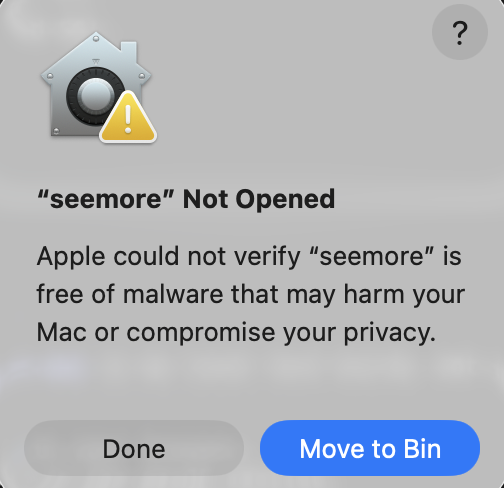
The first time you open the app, macOS blocks it, because seemore is not signed with an Apple developer certificate. To allow it:
-
Open seemore. macOS does not open it. Click Done.
-
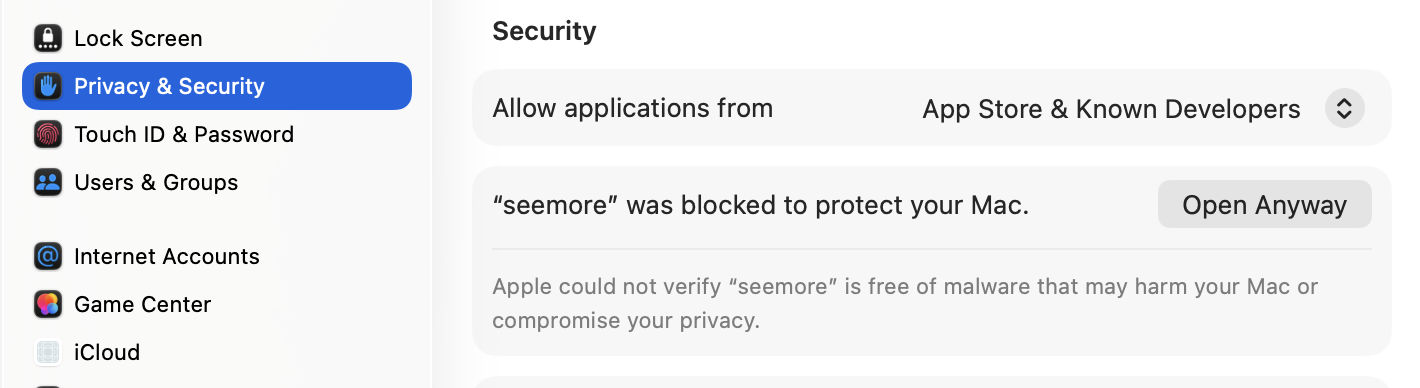
Go to System Settings > Privacy & Security. Under Security, click Open Anyway.
-
macOS asks again. Click Open Anyway, then enter your password.
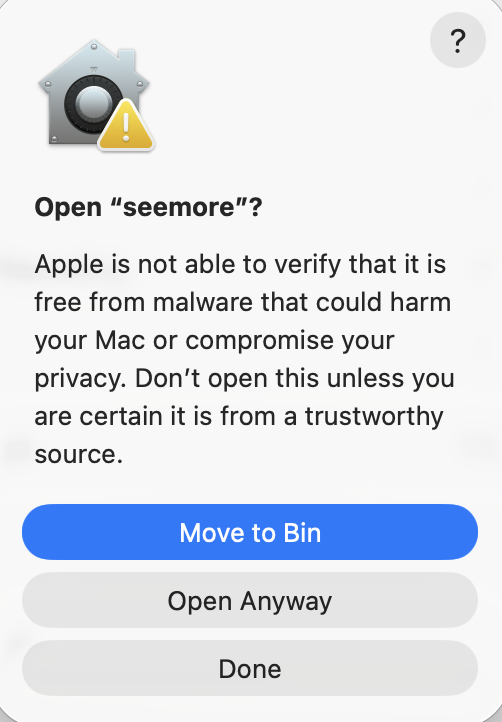
You do this only once.
Windows
Windows 10 or 11, 64-bit
When Windows shows Windows protected your PC, click More info, then Run anyway.
Linux
64-bit
Install the .deb:
sudo apt install ./seemore_*_amd64.debOr run the AppImage:
chmod +x seemore-*.AppImage
./seemore-*.AppImage
The AppImage needs FUSE 2. On Ubuntu 24.04, install it with sudo apt install libfuse2t64.