Let AI write the Markdown.
Let seemore show it better.
AI tools write Markdown fast: specs, notes, guides, READMEs, whole folders of it. A folder of
.md files has no order: nothing to click, nothing to search. seemore points at that folder
and renders it as a real site. It does not move a single file or need any code.
Two ways to use it
Same folder, same Markdown, wherever you look at it.
What you get
Point seemore at any Markdown you already have: AI-written notes, project docs, RFCs, API references, specs, an engineering handbook.
Zero config
No config file, no code, no files to move. A plain folder of Markdown works in the browser, in your editor, and as a static build.
Live preview
Add, rename, retitle or delete a file and the site updates immediately, navigation and search included.
Edit in place
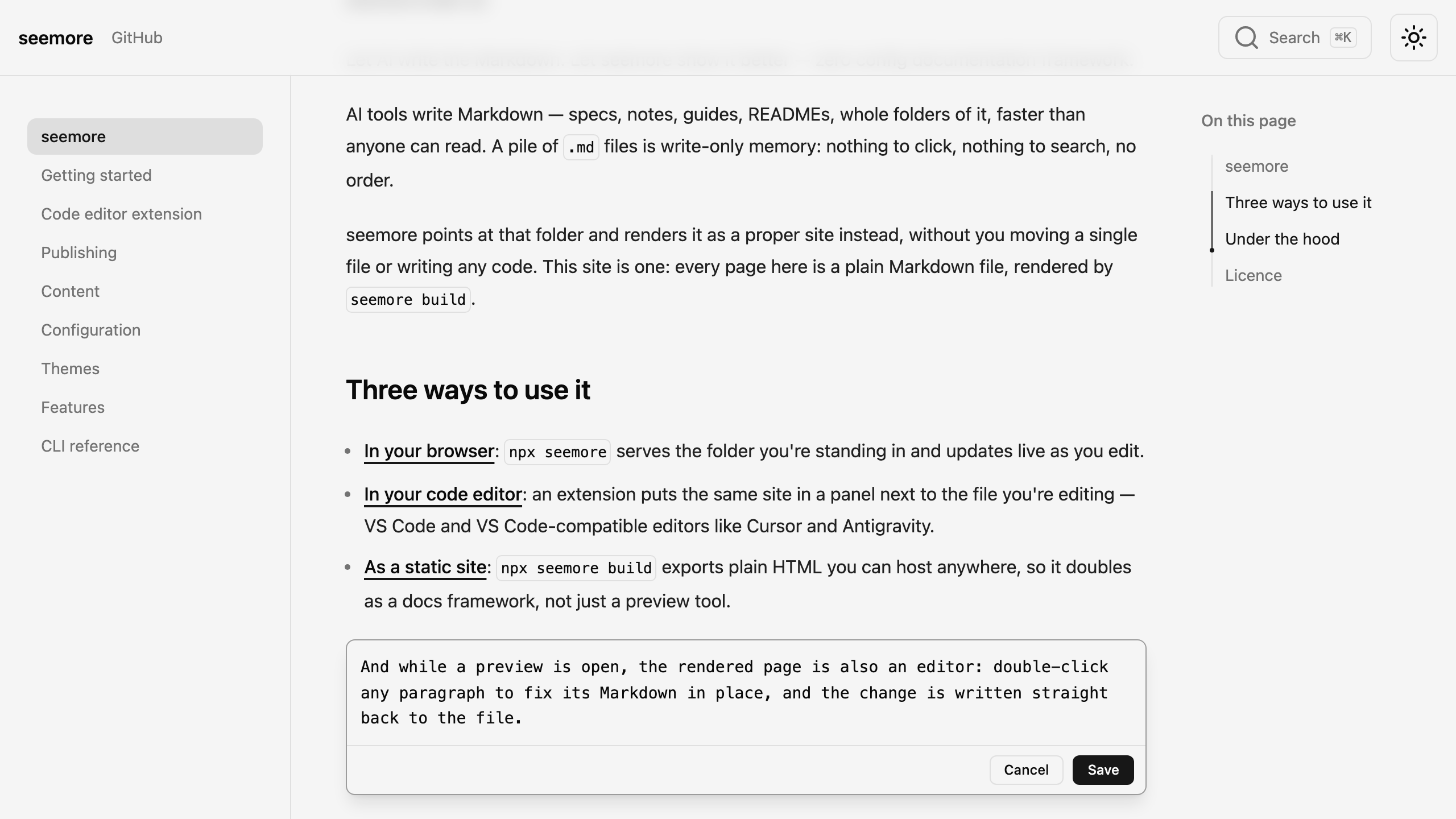
Double-click any block in the preview to fix its Markdown, and seemore writes the change straight back to the file.
Editor integration
One extension covers VS Code, Cursor, Antigravity and other VS Code-compatible editors, remote workspaces included.
Documentation framework
seemore build prerenders the whole site to HTML, ready to deploy anywhere, and writes each host's convention files for you.
Password protection
Protect the built site with one shared password. No server is needed. Visitors unlock it in the browser.
Page actions
Copy a page as Markdown, or export it as one self-contained HTML file to drop into Slack, email or an AI chat.
Search built in
Static, zero-setup full-text search out of the box, with shareable highlighted results. Algolia and Orama Cloud for hosted indexes.
Rich Markdown
GitHub Flavoured Markdown, admonitions, steps, [[wikilinks]], Mermaid and D2 diagrams, click-to-zoom images, embedded PDFs.
Full MDX
When Markdown is not enough, .mdx pages take real JSX: your own components, inline SVG and custom CSS. This page is built that way.
12 themes
Dark and light follow the system, with a toggle that remembers your choice. Your own CSS always wins.
Edit without leaving the page
While a preview is open, the rendered page is also an editor. Double-click any paragraph to fix its Markdown in place. seemore writes the change straight back to the file.