Code editor extension
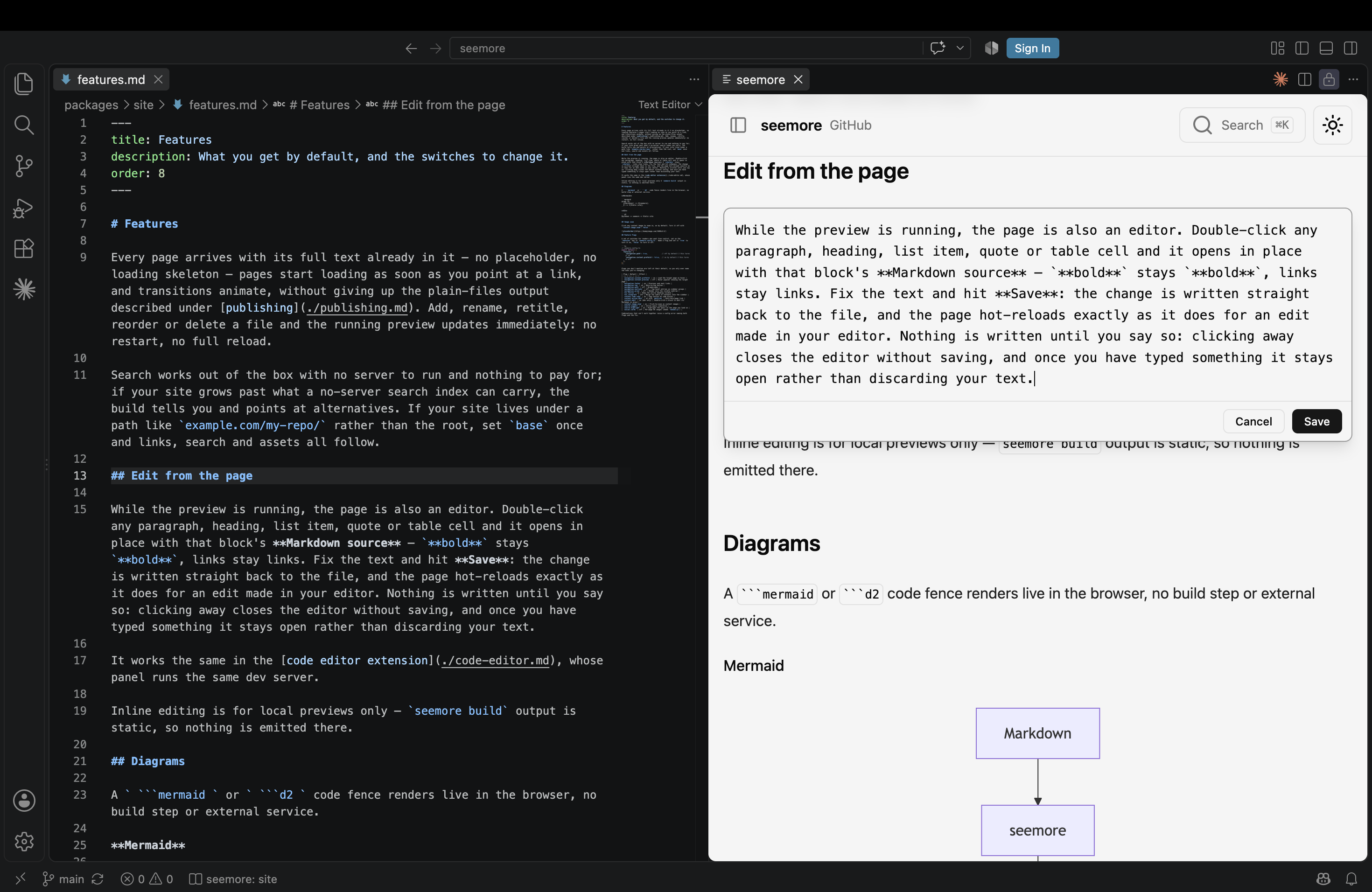
Install seemore from the VS Code Marketplace or Open VSX. You get the same rendered site as a panel beside your editor, with no terminal, no npx and no browser tab to manage. Open VSX also covers VS Code-compatible editors such as Cursor and Antigravity. The panel works in remote workspaces and Codespaces too.
- Open any Markdown file.
- Click the seemore icon in the editor's title bar, or right-click a folder in the explorer and choose Open Folder in seemore.
- The rendered site opens beside your editor, scoped to that file's folder.
The panel runs the same dev server as npx seemore, so everything about the live preview works here too, including editing a page's text in place: double-click a paragraph in the panel, press Save, and the file beside you updates.
Commands
| Command | Where | Does |
|---|---|---|
| Open in seemore | Editor title bar, on any Markdown file | Renders that file's folder as a site |
| Open Folder in seemore | Explorer, right-click a folder | Renders that folder as a site and pins it as the root |
| Choose Root | Status bar item, or the command palette | Pins the folder being served, clears a pinned root, or picks another folder to serve |
Settings
| Setting | Default | Effect |
|---|---|---|
seemore.path | (bundled copy) | Path to a seemore CLI entry point to use instead of the version bundled with the extension. Leave empty unless you are developing seemore itself. |